i built an app that turns your mp3s into a karaoke experience
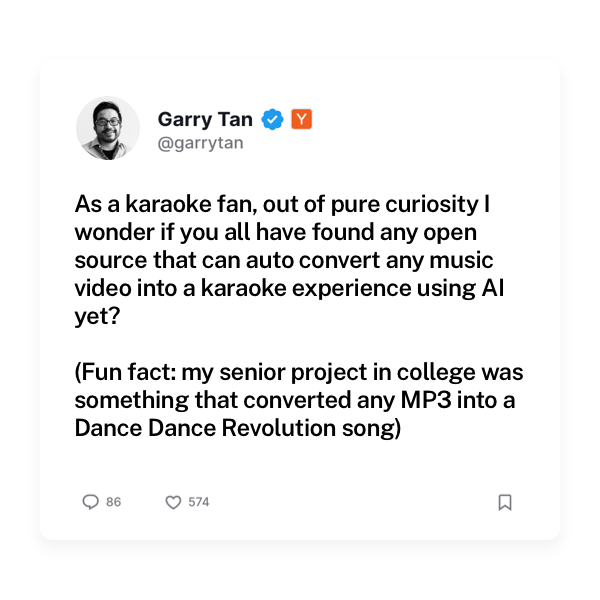
when the president of the most famous startup accelerator in the world requests an app, and you know exactly how to build it, you cannot miss the opportunity.
that’s exactly what happened a couple of weeks ago when garry tan asked about the existence of any ai karaoke app. i just happened to have been playing with demucs locally, and i knew it would be perfect for this.
now, 10 days since the tweet, i am releasing a small app that turns any mp3 into a karaoke experience
when i shared a previews of the app on x, lots of people had questions. below there’s some technical bits on how it works and how i built it.
demixing with demucs
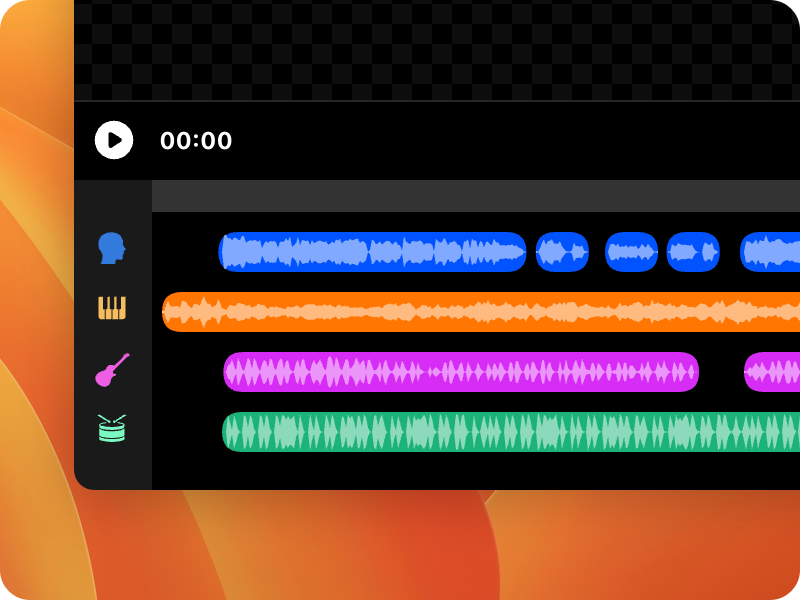
demucs (deep extractor for music sources) is a deep learning model built by alexandre défossez designed to separate instrument tracks (aka stems) from audio files.
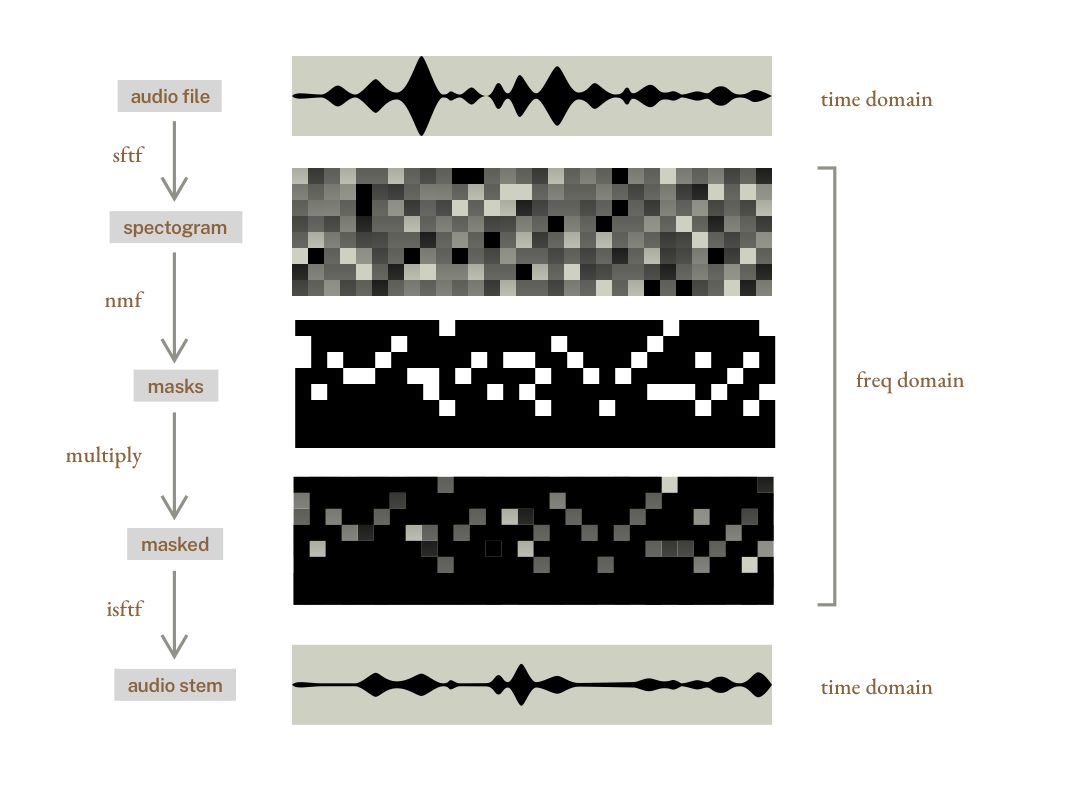
traditional methods use frequency masking. they first convert the audio into a spectrogram (a 2D image of frequencies over time) using a short-time fourier transform (stft).
then they use signal processing or ai models to create a mask for each track (imagine an alpha mask that filters music frequencies of an instrument in the spectrogram).
once the masks are applied, they convert the frequencies back to audio using an inverse short-time fourier transform (istft).
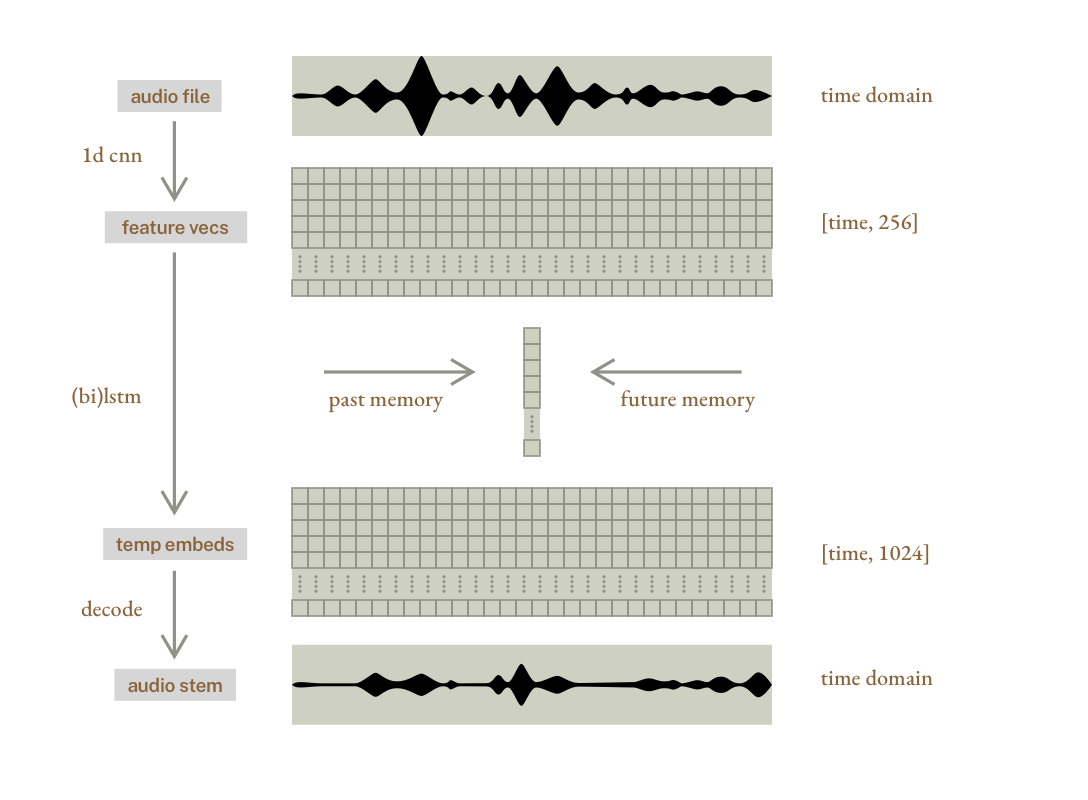
on the other hand, demucs learns directly from raw audio waveforms.
its encoder converts the raw audio into feature vectors using a series of convolutions (filters that look for patterns in audio). these “filters” are learned automatically by the neural network during training (it starts with random filters, and learns the best ones by seeing real songs and comparing its output to ground-truth isolated stems). after this step there is a feature vector per frame.
then the encoded data is passed through a bidirectional LSTM (Long Short-Term Memory), which is a type of recurrent neural network (RNN) that’s designed to understand sequences. imagine a process where we start from frame 0, and walk forward through each frame, keeping relevant memory of the previous frames, and combining the result into a new vector that has information about the current frame but also memory.
demucs uses a bidirectional LSTM, which applies the same process backwards, and for each frame both results are saved. finally, the vectors are converted back to raw audio using transposed convolutions, generating new waveforms directly from the features (note: this is not masking, it’s generation).
since demucs 3 (i am using version 4), the library introduced a hybrid method (htdemucs) that combines the time-domain method with the frequency-domain masking method for even better results. both methods are trained with the same data, and the resulting waveforms are averaged.
timed lyrics
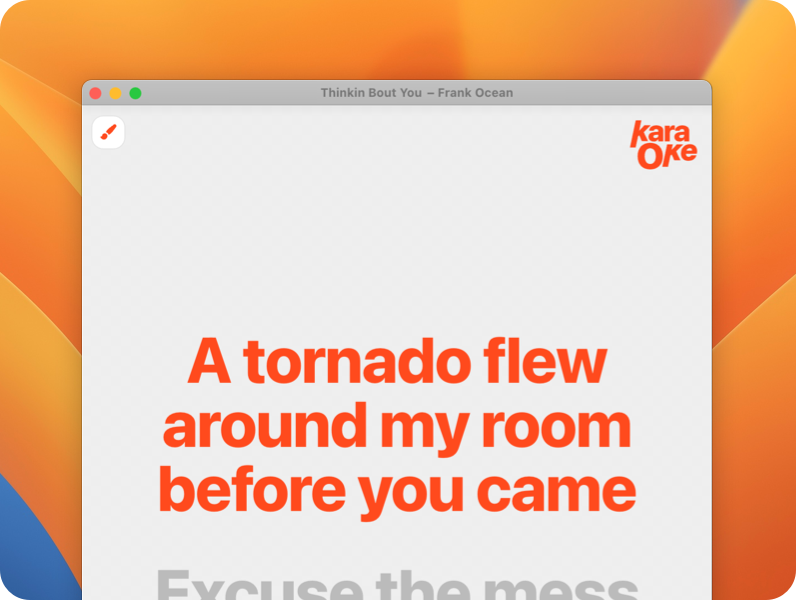
my first attempt was to use whisper to transcribe the lyrics. whisper is an open-source automatic speech recognition (asr) system developed by openai that transcribes spoken language into text it uses a large transformer model trained on a diverse dataset of audio.
two things made whisper a great contendant for my automatic karaoke generator
-
the model has an option to returns timestamps per word, which would be perfect to guide the user through the lyrics.
-
the model is really performant and can work locally.
given that demucs is providing us with a vocals track, i thought this would be a great match.
unfortunately, after a few tests, i realised that in a lot of cases, vocals in songs are quite difficult to transcribe (due to changes of pitch, audio filters and rhythms that don’t really match normal spoken language that probably was used to train whisper).
once i was ready to give up on the idea of ai transcription, i found https://lrclib.net, which has a huge library of lyrics with timestamps per line.
to make the user experience more magical, i read the mp3 metadata for name of the song and artist, and attempt to find the lyrics on the background. only if that fails, i show a ui to search the lyrics manually.
building a standalone app

for the ui i went for vue, since it’s the stack i feel the most comfortable with. i used electron to bundle it into a mac app.
something important for me was to make the models work locally.
believe it or not, the most difficult part of this project was to bundle python into the portable electron app. some initial research suggested i could bundle a virtual environment created with python3 -m venv into an electron app. while this worked in my computer, it became impossible to make it portable due to a mess of symlinks and absolute paths.
when i was about to give up, i did some more research (thanks chatgpt again) and found out about python-build-standalone via this post by simon willson. it absolutely saved the day!
design details
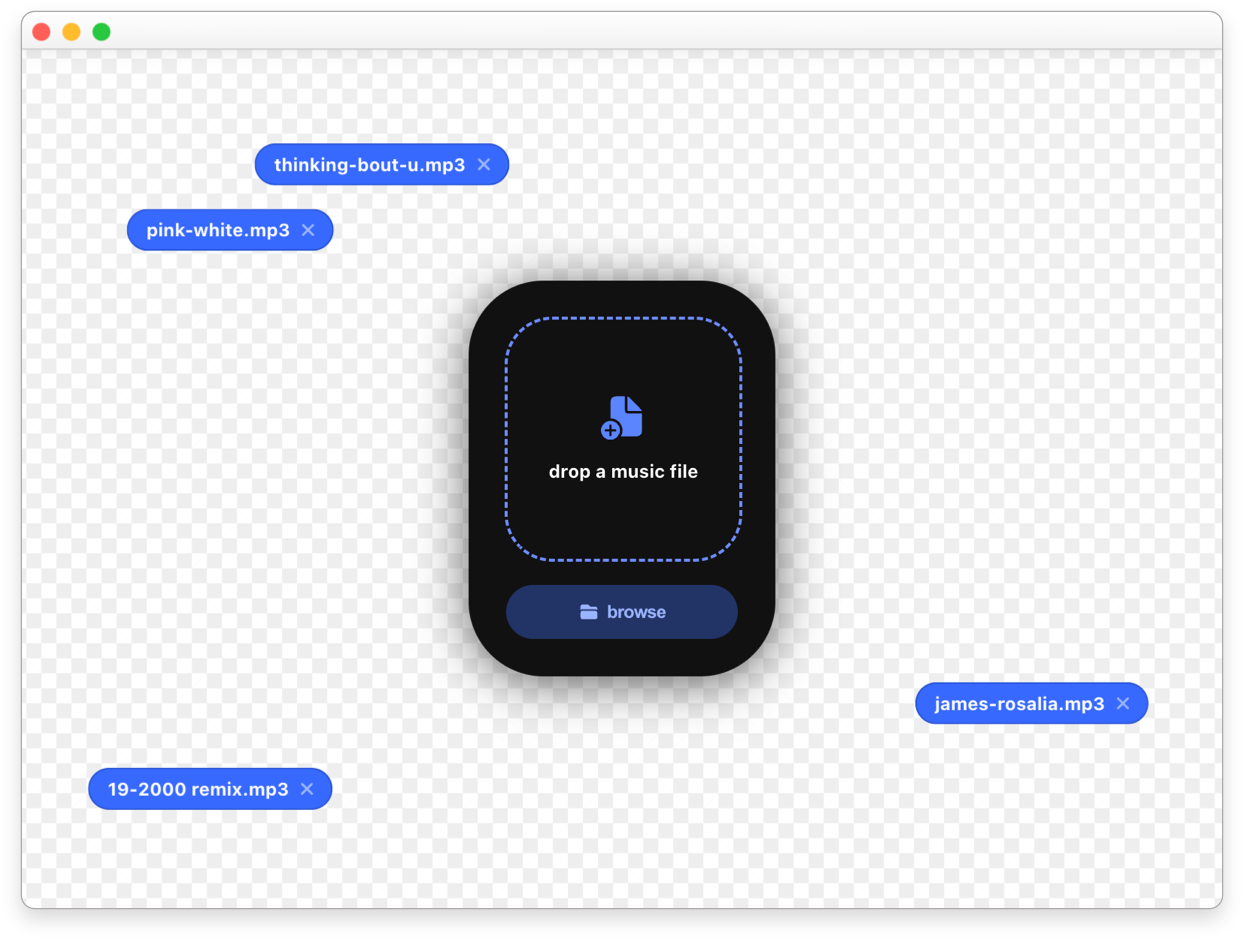
although i wanted to create a minimal app focused on removing vocals and showing timed lyrics, i took a couple of opportunities to make something fun while keeping the app simple.
for the main window i opted for a prominent card in the middle of the screen with a simple call to action: “drop a music file”. the space around it becomes a canvas where the previously added files are added. inspired by computer desktops, the files can be dragged around, giving the user freedom to organize them.
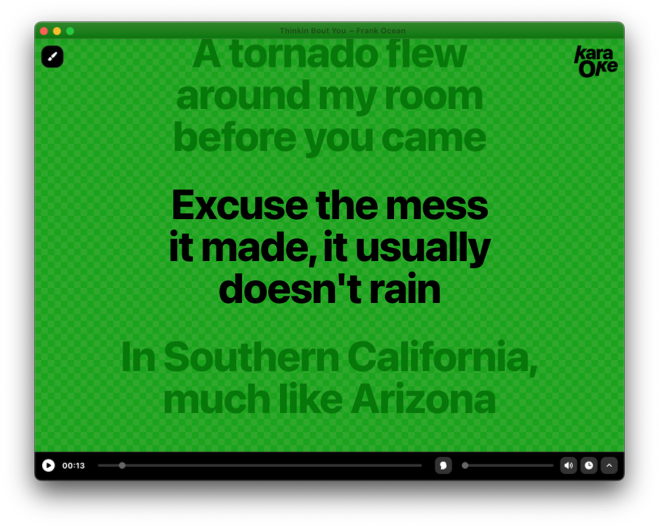
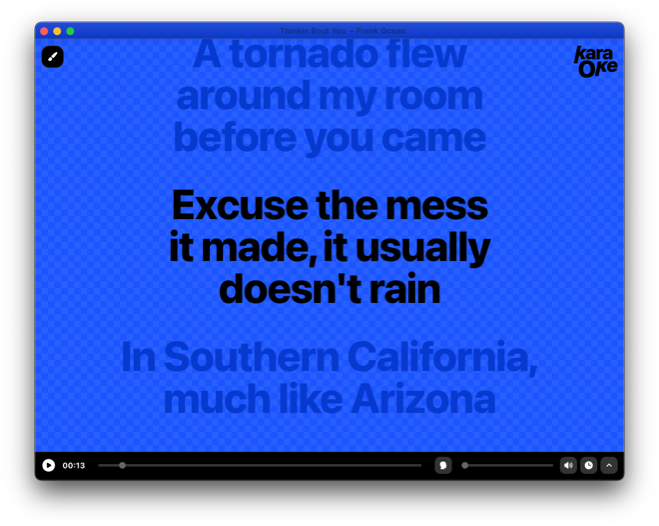
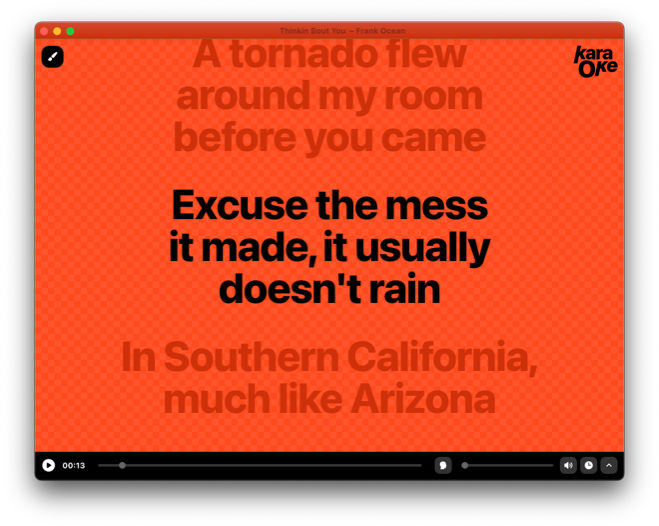
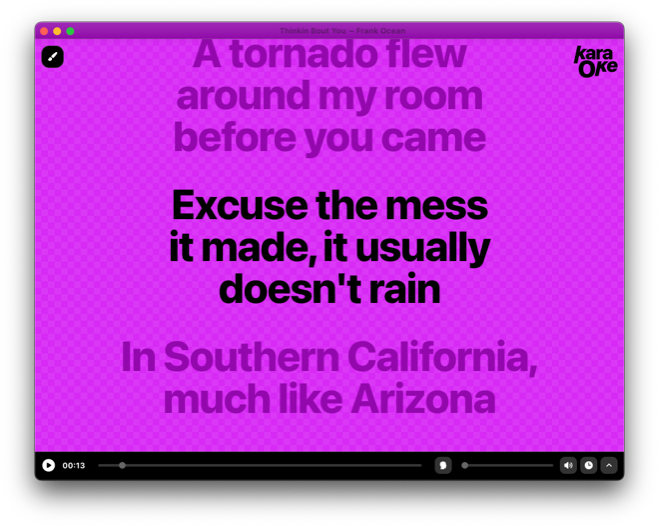
for the lyrics screen i gave all the focus to the lyrics, with minimal player controls at the bottom. other than playing and seeking in the timeline, the ui gives immediate access to the vocals volume, since some people likes to do karaoke with no vocals at all, while others like the vocals to be plaid with a low volume.
but probably the most fun feature is the ability to choose color themes, which affect all the window ui, from top to bottom.
this was a fun side project under the umbrella of desktop.fm, where i am exploring the use of state-of-the art tech for music consumer apps. if you liked this post, feel free to follow me at x.com or instagram.
thanks for reading!